I Built a Content Comparison Tool Powered by Google Cloud Natural Language API
A free Google Colab notebook that compares the entities in your page with up to three competitors using Google's Natural Language API, and shows the gaps.
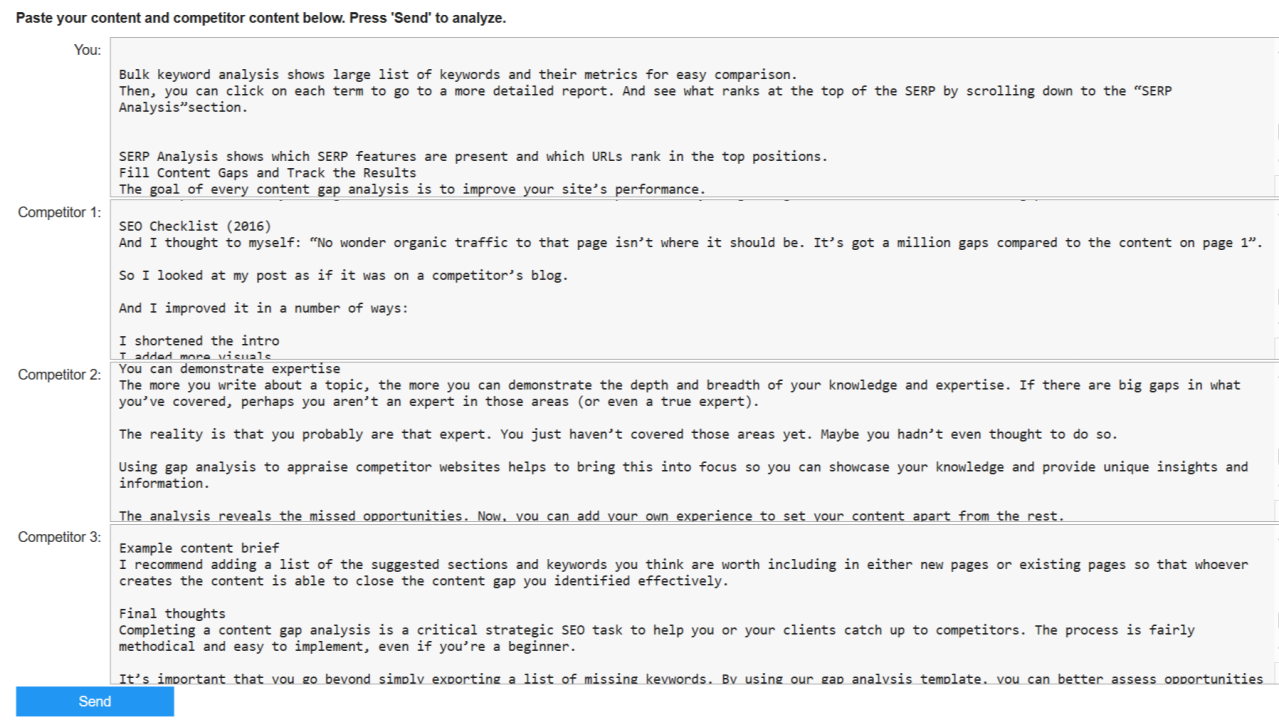
I built a Google Colab notebook that compares your content with up to three competing pages. It uses the Google Cloud Natural Language API to find the entities in each page, like people, brands, products, and concepts, and scores how central each one is. Then it shows which entities your page is missing, which ones only you cover, and which ones you share.
Here's the link to the notebook. Make a copy and try it yourself.
What does the tool compare?
It compares entity salience, which is how central a concept is to a piece of text. Google's Natural Language API gives each entity a score from 0 to 1. Keyword tools show which words a page uses. Salience shows which concepts the page is built around.
The API is a Google Cloud product for analyzing text. There's no public evidence that Google Search or AI tools use its scores to rank or cite pages. So use the tool as a writing aid. It's good at spotting concepts the top pages explain and yours skips. I explain the idea in more depth, and how to run a single page through Google's free demo, in How to Use Entity Salience to Find Gaps in Your Content.
The notebook saves you from running pages through that demo one at a time. It analyzes your page and three competitors at once and lines up the results.
How do you set it up?
You need your own copy of the notebook and a Google Cloud credentials file.
First, make a copy of the notebook. Then create a JSON credentials file for the Google Cloud Natural Language API. Google's setup documentation walks through enabling the API and generating the key.
The API costs little or nothing for occasional use. Google bills it in 1,000-character units, and entity analysis is free for the first 5,000 units each month. New Google Cloud customers also get $300 in free credit, valid for 90 days.
Run the notebook and upload your credentials file when it asks.

Then paste in your content and up to three competitor pages. The tool analyzes each one and sorts the entities by salience.
What does the output show?
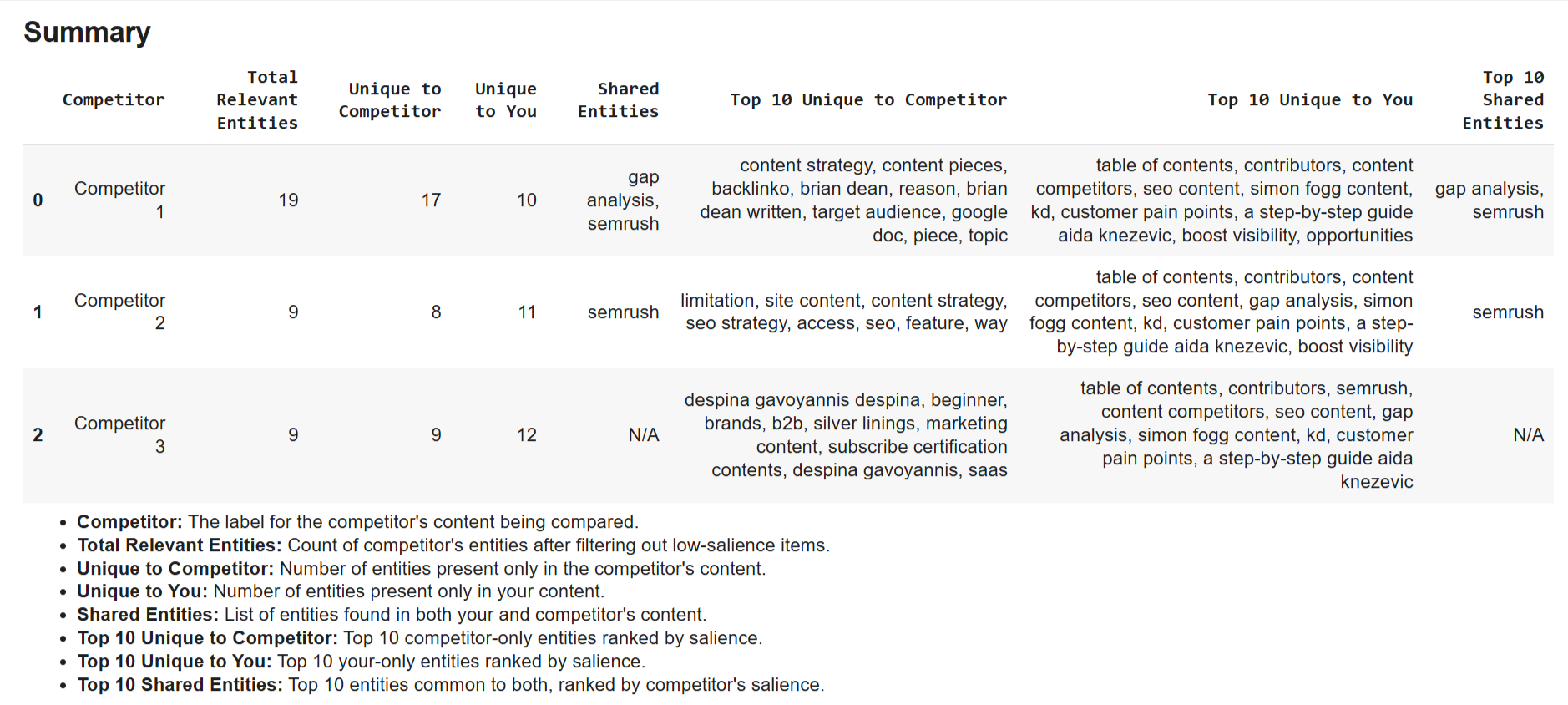
You get two tables. The summary table compares your page with each competitor. It shows how many relevant entities each page has, how many are unique to each side, which ones you share, and the top 10 entities in each group.
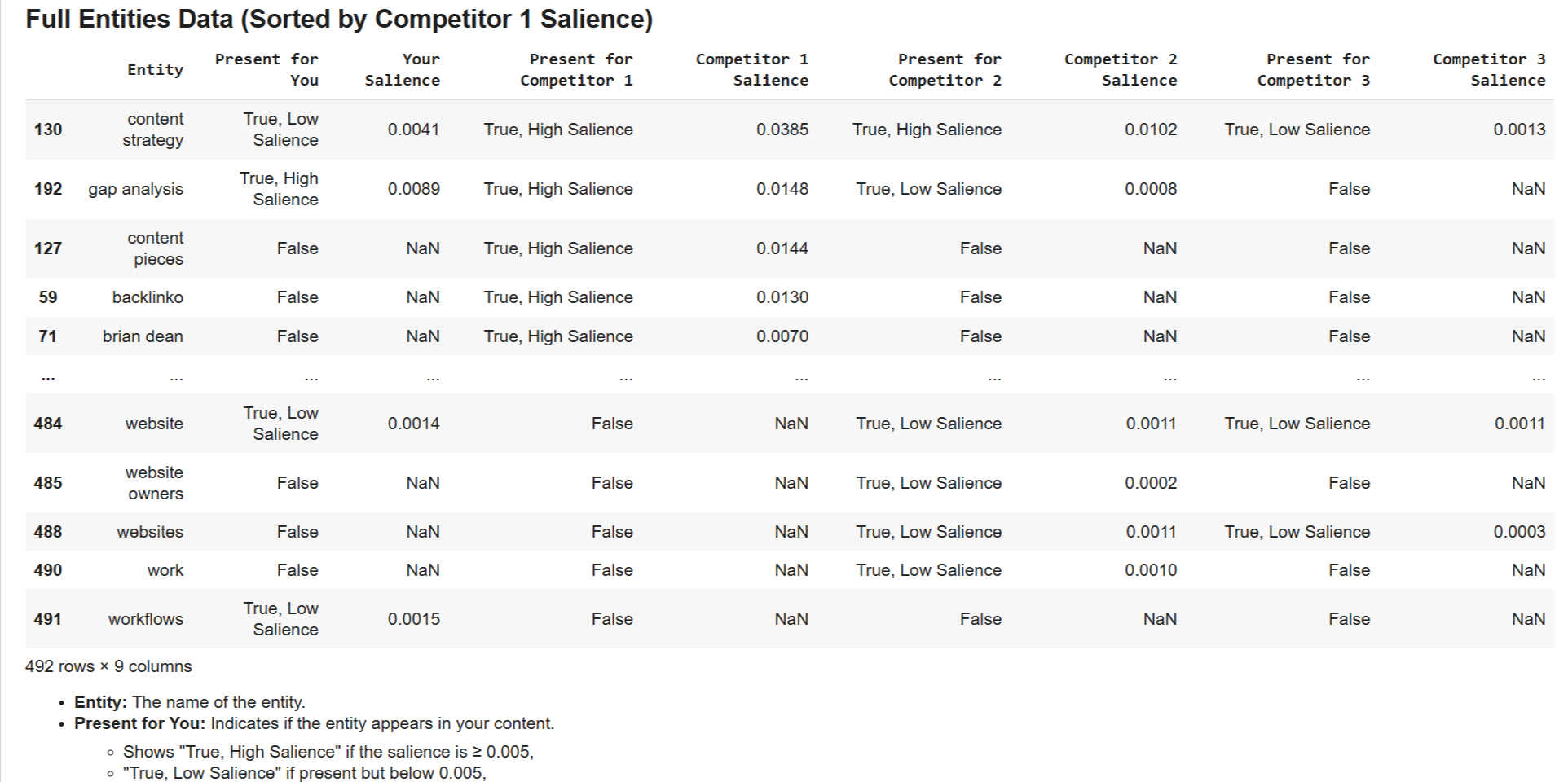
The full data table lists every entity the API found. It shows whether each one appears in your content, a competitor's, or both, and how salient it is in each.
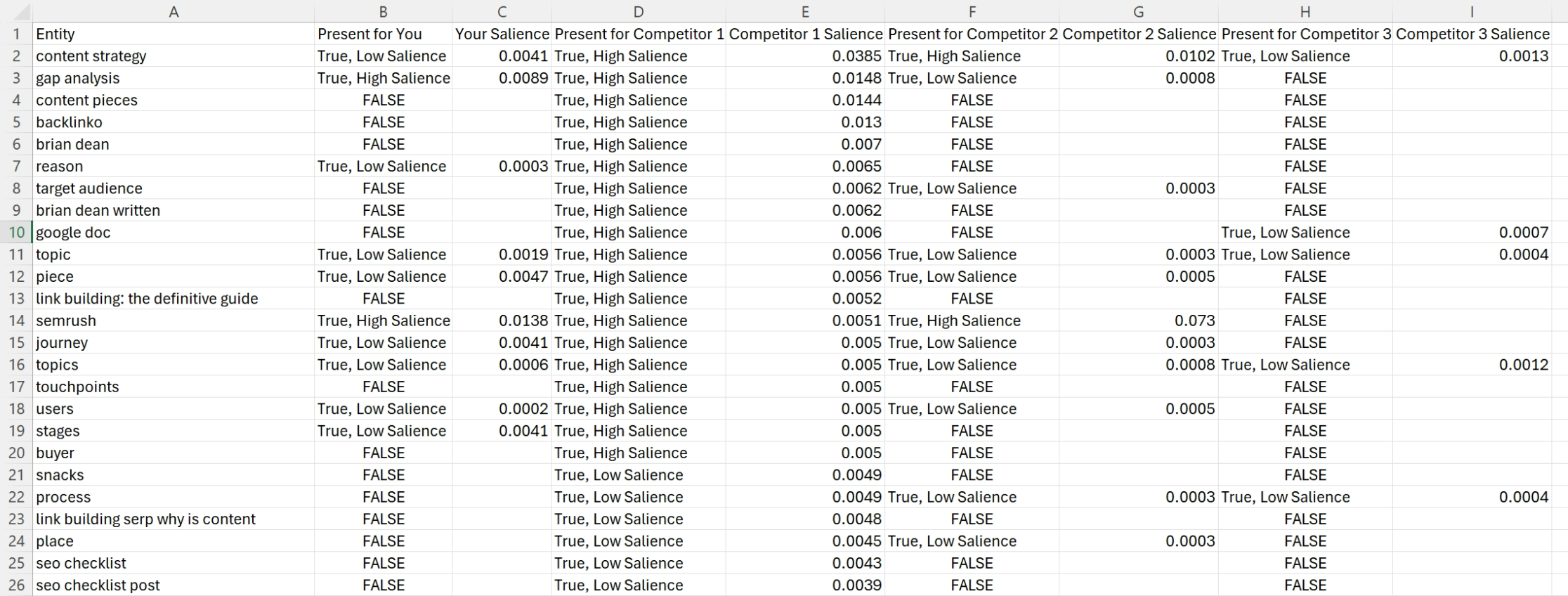
You can export either table as a CSV.
How should you use the results?
Treat each missing entity as a question about your page. Add it only if it makes the page more useful or accurate for your reader.
Some gaps will be real. If every competitor explains a concept your page skips, a reader may notice it's missing. Other gaps will be noise, like author names, brand mentions, or tangents that are specific to one competitor's page. Someone who knows the subject should decide which is which.
Is the tool finished?
It works, but it's not as clean or polished as it could be. Feel free to edit your copy to improve it. I'd also love feedback on how to make it better, or ideas for where to take it next. Let me know what you think.